Tiffany Pham
Alert Notification for the Nighthawk App
Objective
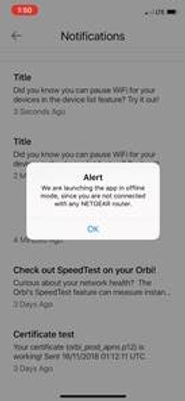
An alert notification displays in the Nighthawk app if the app can't detect a router.
Corporate Marketing wanted to change the wording because they felt the message and title "Alert" was too abrupt.
My role
My role was to change the text to be more user-friendly.
Team
-
UX Design
-
Product Marketing
Alert message before edits
Original text
[Headline]
Alert
[Body text]
We are launching the app in offline mode, since you are
not connected with any NETGEAR router.
[CTA]
OK
The process
I worked with the UX Design Team and Product Marketing to determine when the notification displays and the action we want users to perform after seeing the notification.
As a result, we changed the heading to summarize the issue. We also changed the body text to give more details about what caused the issue and how to fix the issue.
The result
[Headline]
Router Not Detected
[Body text]
It looks like you’re not connected to your router.
To make any changes, connect to your router’s WiFi.
[CTA]
OK